


Voi - AI Avatar Portrait Maker
2.1866.00 Reviews
App Specs
- Version
- 2.0.6
- Updated On
- License
- Free
- Downloads
- 1,000,000+
- Developer
- Holypic
- Categories
- Art & Design
- Platform
- Android
Screenshots
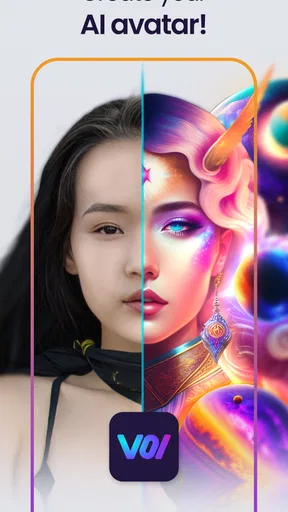
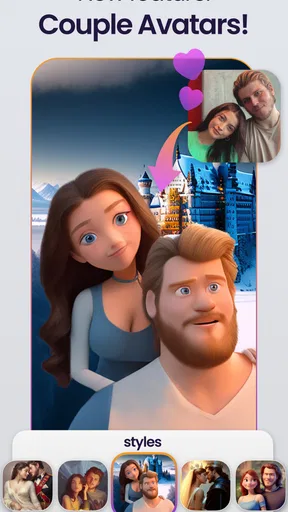
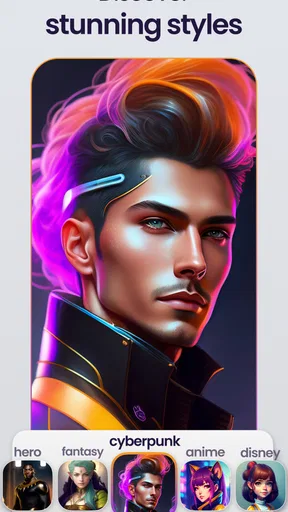
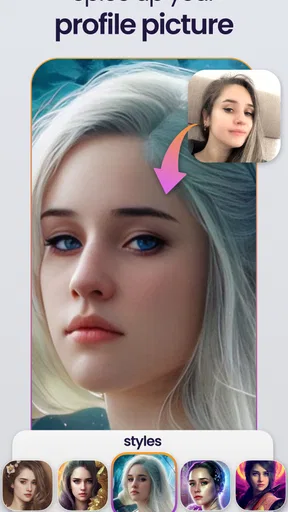
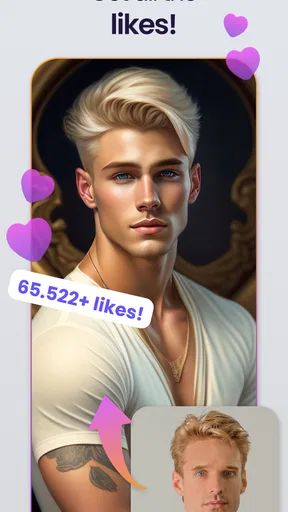
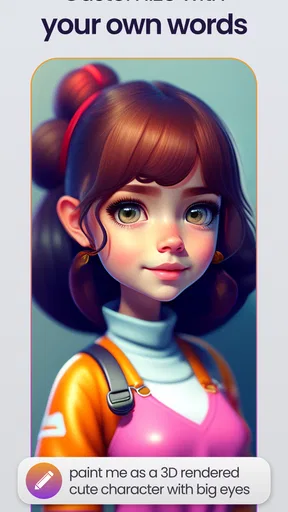
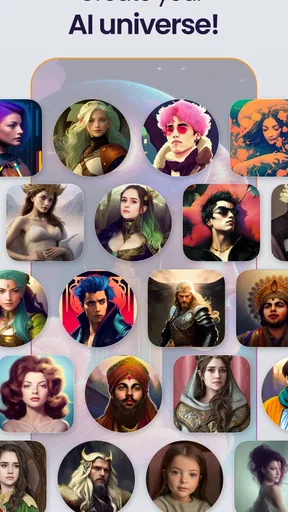
 Analysis by AppCompare
I installed Voi - AI Avatar Portrait Maker to see whether it could become a useful part of my regular creative routine or whether it would remain a one-evening experiment. My first impression was easy to understand: the app takes the familiar idea of turning selfies into stylized portraits and makes it feel immediate. It belongs to the art and design category, comes from Holypic, and is free to install, although some of the more complete use of the service is connected to in-app purchases ranging from $2.99 to $29.99 per item.
The appeal is obvious if you want a new profile image without learning a full editor. Instead of adjusting layers, brushes, masks, and color controls, I could approach the task through photographs and generated styles. That makes it approachable for someone who wants a visual result rather than a technical editing session. My more important question, though, was whether the result stays useful after the novelty of the first portraits wears off.
From an entertaining first week to a realistic long-term habit
I’d treat the first week as a chance to learn which kinds of portraits actually feel like me, rather than as a race to collect variations. Once I have a favorite, I can judge whether the app deserves another session by asking what has changed: a new profile, a new community, or simply a different creative mood. That practical test leads naturally to the question of whether Voi can fit into a lasting routine.
The first session is built around quick experimentation
During the first week, the strongest part of the experience is exploration. I could imagine opening the app with a small collection of selfies and trying different directions for a social profile, messaging account, gaming identity, or simply a fun image to share with friends. The concept is less intimidating than traditional portrait design because the starting point is already familiar: a photo of me.
That simplicity is also why the app can appeal to people who normally avoid creative software. A conventional editor gives you control, but it also asks you to make many decisions before anything looks finished. Voi focuses the experience on the portrait itself. For a casual user, that reduces the distance between “I want a different avatar” and “I have something I can use.”
I found the best results are likely to come from treating the input photograph as part of the design process, not as an afterthought. A clear face, a reasonably simple background, and an expression that already suits the intended mood give the generated portrait a better starting point than a dark group picture or a heavily obstructed selfie. This is one of the practical lessons that is easy to miss when the store summary makes the process sound completely effortless.
Choosing the right photo matters more than taking many photos
My advice is to prepare a small, deliberate set of source images instead of uploading every selfie available. Use one front-facing image for a clean profile portrait, one with a more relaxed expression for casual artwork, and one with distinctive clothing or lighting if you want the result to retain some personality. The trade-off is important: a more unusual photo may produce a more memorable image, but it can also make the portrait less consistent with your real appearance.
Worth Reading Before You Choose

EA SPORTS FC Mobile 26 Is a Bigger Football Game, but It Takes Time

Flipboard Shows What News Apps Must Do Beyond the Feed

Switching to Android Auto Means Rethinking Your Driving Routine

Google Calendar Makes a Crowded Week Easier to Manage

Ludo King Makes the Most of the Minutes Between Plans

Baby Panda World Brings Quick Play to Modern Phones, but Its Game Library Feels Busy
This matters when the image has a job to do. A playful avatar for a chat account can tolerate exaggeration, while a professional-facing profile benefits from recognizability and restraint. Voi is most convincing when I choose the style based on the purpose of the image, rather than choosing a dramatic look first and trying to find a use for it afterward.
Where the app fits beside ordinary alternatives
Compared with a standard camera editor, this app is better suited to transformation than correction. If I only want to crop a picture, improve brightness, remove a distracting background, or make small color adjustments, a normal photo editor remains the more practical choice. Those tools give predictable control and are usually faster for simple repairs.
Compared with a full illustration app, Voi is much less demanding. I would not use it when I need exact typography, a carefully constructed brand mark, a precise composition, or a character designed from scratch. A layer-based editor is still the better option for that kind of work. The advantage here is speed and accessibility: I can begin with my own face and reach an expressive portrait without building every visual element manually.
That distinction helps set expectations. This is not a replacement for every tool in an artist’s collection. It is a focused shortcut for people who want a portrait-style result and do not want the learning curve of professional design software.
The first-week novelty has a real strength
The initial novelty is not meaningless. Trying different portrait directions can help me discover how I want to present myself online. A generated image may feel more personal than a generic icon while still being more distinctive than an unedited selfie. For creators, it can also act as a quick visual sketch: before committing time to a finished illustration, I can explore a mood or identity through a portrait.
There is a useful creative workflow here. I can generate several possibilities, compare them away from the excitement of the app, and keep only the one that remains recognizable and usable. That final step is essential. The most dramatic image is not automatically the best avatar; sometimes the quieter portrait works better because friends can identify me immediately.
Why the second month changes the question
After the first burst of testing, the app has to justify another visit. Most people do not need a new profile picture every day, so recurring value depends on whether the tool supports occasional projects rather than constant consumption. I can see a reason to return for a new account, a seasonal change, a creative experiment, or a different online identity, but those needs are naturally intermittent.
That makes Voi more like an occasional design utility than a daily habit app. I would not judge it negatively for that. A tool can earn its place by being useful at the moment I need it, even if I open it only a few times a year. The important question is whether those future visits feel convenient enough to justify keeping it installed.
Month-to-month value depends on use cases
For someone who regularly updates social profiles, participates in online communities, or manages several identities, the app has a clearer ongoing role. Each account can have a portrait with a different tone while still beginning from personal photography. Someone who runs a small creative project may also use it to test visual directions before commissioning or producing a more polished identity.
For me, the strongest recurring scenario is a profile refresh. Imagine changing a messaging avatar after a haircut, a new hobby, or a shift in the kind of community I use. I could take a few fresh photos, create a stylized portrait, and select one that feels current without spending an afternoon in an editor. That is a realistic reason to return, unlike the vague promise that artificial intelligence will somehow make every image task easier.
Another useful scenario is preparing a small set of matching images for different platforms. I would keep the source photos consistent, then choose portraits with related visual character rather than using one identical picture everywhere. The benefit is not only appearance; it makes it easier to recognize which account belongs to me while giving each space a slightly different personality.
It is less valuable for users who need precision
The long-term case is weaker for photographers, illustrators, and brand owners who need repeatable control. If the same face must appear with exact proportions, a fixed palette, or carefully controlled clothing and background details, an automated portrait service may create more selection work than it removes. In that situation, I would rather use a conventional editor or a dedicated illustration workflow.
It is also not the right choice if I want every result to look like a natural photograph. The purpose is stylization, so the appeal comes from changing the visual treatment. Anyone seeking subtle retouching should start with a photo editor instead. Choosing the wrong tool here can lead to disappointment even if the app performs exactly as intended.
The maintenance burden is small, but not zero
Keeping an app like this useful requires a little organization. I would save the original source photos separately and label finished portraits by their intended use. That prevents a common problem with creative apps: generating many variations, then forgetting which file looked best or which image was suitable for a particular profile.
I would also avoid treating every generated portrait as a final asset. A quick review at normal size is not enough. I would check the image as a small avatar, because details that look attractive in a large preview can disappear when reduced. Facial recognizability, contrast around the eyes, and a clear silhouette matter more at avatar size than fine decorative detail.
This is a non-obvious trade-off with portrait generators: a visually rich image may perform worse in the small circular crop used by many services. Before replacing a profile picture, I would test the portrait in the actual crop shape and ask a friend whether they can identify me without being told which image is mine.
Free access makes testing easy, while purchases change the calculation
The free price makes the initial decision straightforward. I can try the concept without paying at the installation stage, which is useful because generated portrait styles are personal; what works for one face or mood may not appeal to another. I would spend time evaluating the quality and usefulness of the results before considering any purchase.
The presence of in-app purchases means I would be careful about treating the app as a complete free design replacement. The listed purchase range runs from $2.99 to $29.99 per item, so the value depends on how often I will actually use the resulting artwork. If I only want one temporary avatar, paying for a larger collection may not make sense. If I expect to refresh several profiles or return for recurring creative projects, the calculation becomes more reasonable.
My practical rule would be simple: first decide whether one finished portrait has a real destination. If I cannot name the profile, project, or social use for the image, I would keep experimenting only within the free experience rather than buying out of curiosity. That keeps the app’s novelty from turning into unnecessary spending.
What can cause fatigue after repeated use
The main source of fatigue is the gap between visual excitement and practical variety. At first, each new portrait feels different because the transformation itself is entertaining. Over time, I may notice that many images serve the same basic purpose: a stylized head-and-shoulders identity picture. Once I already have an avatar I like, another variation needs to offer a clear improvement or a new use.
There is also a recognition trade-off. The more heavily transformed the portrait becomes, the more it may communicate a mood rather than my actual appearance. That can be enjoyable for private communities or playful accounts, but less helpful when people need to identify me quickly. I would keep at least one moderately recognizable version available and reserve the more exaggerated artwork for places where identity accuracy matters less.
Another potential source of tiredness is decision overload. Having many possible treatments can make the process feel productive even when I am not moving toward a finished choice. I would set a limit before starting: choose a few source photos, compare a small number of promising results, and stop once one image meets the purpose. This keeps the app from becoming an endless scrolling session.
Privacy and expectation management belong in the decision
Because the workflow begins with personal selfies, I would think carefully about which images I use and whether I am comfortable sending them through an AI portrait service. I would avoid uploading photographs containing other people unless I had their permission, and I would not use sensitive images simply because they might produce an interesting result. This is sensible digital hygiene for any photo-based creative app.
I would also keep the original photograph and the generated portrait separate in my own storage. That gives me flexibility if I later decide the stylized version no longer represents me. A profile image can become part of how people recognize an account, so replacing it too frequently or changing it dramatically may create confusion for contacts.
Version and device considerations
The app is currently listed as version 2.0.6 and supports devices running Android 7.0 or later. That makes it accessible to people using older Android hardware, although the experience of generating and previewing artwork can still feel more comfortable on a newer phone with a larger, sharper display. I would make sure there is enough local space for the photographs and finished images I plan to keep, rather than allowing a large collection of experiments to accumulate unnoticed.
The age rating is Everyone, which fits the general idea of creating portraits from personal photos. Even so, I would guide younger users toward thoughtful choices about selfies, sharing, and purchases. A broad age rating does not remove the need for good judgment when an app involves personal images or paid digital items.
How I would use it without letting it take over my routine
My preferred workflow would be occasional and deliberate. I would begin with three or four suitable photos, decide where the portrait will be used, and choose a style that supports that purpose. After reviewing the results at avatar size, I would keep only a small number of candidates. I would then wait before changing an important profile, because an image that feels exciting immediately may seem overly dramatic the next day.
This approach gives the app a sustainable role. It becomes a quick creative service I can revisit when my online identity changes, not an endless source of disposable images. The distinction is important for long-term satisfaction: the app is more valuable when each session ends with a usable result rather than a crowded gallery.
My long-term verdict
Voi - AI Avatar Portrait Maker earns a place on my phone if I regularly need fresh profile artwork or enjoy experimenting with personal visual identity. Its first-week appeal is strong because the idea is easy to understand, and the path from selfie to stylized portrait is much less demanding than working in a full design editor. With more than 1 million installs, it has clearly reached a substantial audience, while its average rating of 2.1 from around 11 thousand ratings suggests that expectations and individual results may vary considerably.
I would not install it expecting a complete replacement for photo editing, illustration, or brand-design software. Its value is narrower and more practical: it helps turn personal photos into avatar-style artwork with less manual effort. The free entry point makes that narrow purpose easy to test, but the in-app purchase range means I would only pay when a particular portrait collection or repeat use has a clear benefit.
For me, the lasting value is occasional rather than daily. It can support a profile refresh, a new online identity, or a quick visual experiment, but it is unlikely to become a permanent creative habit for someone who rarely changes avatars. I recommend trying it if you want a low-effort portrait makeover and are comfortable judging the results critically. If you need exact editing control, natural retouching, or consistent brand assets, I would choose a conventional editor instead.
The app survives the novelty test only when I give each session a purpose. Used that way, it is a convenient art and design tool with a clear audience. Used without a destination, it risks becoming another collection of attractive images that never leaves the gallery.
Pros
- Creates polished AI portraits from a small set of uploaded photos.
- Offers multiple avatar styles for social profiles and creative projects.
- Results are easy to save and share across social media platforms.
- Simple interface makes the generation process accessible to beginners.
- Useful for experimenting with professional
- artistic
- and themed looks.
Cons
- High-quality avatar generation may require a paid subscription or credits.
- Results can vary noticeably depending on the quality of your selfies.
- Some portraits may show distorted details or inaccurate facial features.
- Uploading personal photos raises privacy concerns for cautious users.
- Generating large avatar sets can take time
- especially during busy periods.
FAQs for Voi - AI Avatar Portrait Maker
What is Voi - AI Avatar Portrait Maker used for?
Voi - AI Avatar Portrait Maker is an AI-powered photo editing app designed to transform ordinary selfies and portraits into stylized avatar images. It can create profile pictures, character-inspired portraits, artistic headshots, and social media visuals from photos you provide. The available styles and results may vary depending on the app version, selected template, image quality, and whether certain features require an account or paid access.
How do I create an AI avatar with Voi?
To create an avatar, you generally select or capture a clear portrait, choose an available AI style or theme, and let the app process the image. For the best results, use a well-lit photo with one visible face, a straightforward pose, and minimal obstruction from sunglasses, hats, or heavy shadows. Processing time can vary, and some templates may require multiple photos or additional permissions before the final image is generated.
Is Voi - AI Avatar Portrait Maker free to download and use?
The app may be available to download for free, but that does not necessarily mean every feature is free. AI generations, premium styles, higher-resolution exports, removal of watermarks, or faster processing may be limited by subscriptions, in-app purchases, credits, or trial conditions. Before confirming a purchase, review the app’s current pricing, renewal terms, and cancellation instructions through the Google Play Store or Apple App Store.
What privacy considerations should I know before uploading photos?
Because Voi processes portrait images with artificial intelligence, you should review its privacy policy and the permissions requested during setup. Check whether uploaded photos are stored, how long they are retained, whether they are used to improve services, and whether third-party processing is involved. Avoid uploading sensitive images or photos of other people without permission, and remove access to your photo library when it is no longer needed.
Why might my avatar look different from the original photo?
AI avatar tools interpret facial features rather than making a simple copy of the original image, so differences in hairstyle, skin details, expression, clothing, or face shape are normal. Results can also change when you use another template or upload a different photo. If the output looks inaccurate, try a sharper, front-facing image with even lighting and a neutral expression, and compare several styles before choosing the final portrait.


